Z-Image Character Consistency Across Multiple Scenes: From Character Profiles to Batch Production
Abstract: This article provides an in-depth guide on how to leverage Z-Image's multi-turn conversation mechanism for character-consistent, cross-scene generation. It covers character profile design, ComfyUI workflow setup, Think Block usage techniques, and 5 practical case studies, helping creators efficiently produce stylistically unified image series.
I. Why Character Consistency Matters
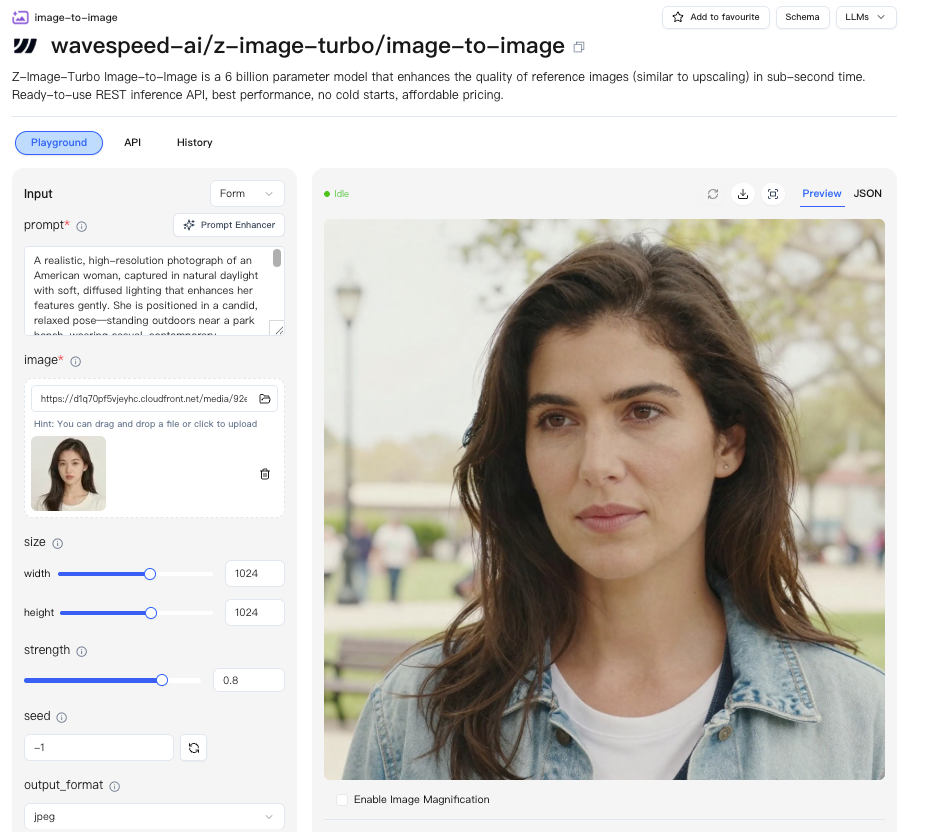
In the field of AI image generation, character consistency has always been one of the most challenging problems. Whether you're creating comic storyboards, product ad campaigns, novel illustrations, or game character design sheets, creators need the same character to "look like the same person" across different scenes, poses, and outfits.
Traditional methods (such as LoRA training, IP-Adapter, ControlNet) each have their limitations:
| Method | Pros | Cons |
|---|---|---|
| LoRA Training | Accurate feature capture | Requires large amounts of material, high training cost |
| IP-Adapter | No training required | Detail loss, style drift |
| ControlNet | Pose controllable | Does not guarantee facial/identity consistency |
Z-Image offers a completely new approach — transforming character consistency into a multi-turn conversation problem. Through progressive natural language descriptions, the model "remembers" character features in each turn and only makes localized changes. This approach requires no training, no extra models — pure prompt engineering can achieve an 80-90% feature retention rate.
II. Multi-Turn Conversation Mechanism: Core Principles
2.1 Basic Architecture
Z-Image's multi-turn conversation is based on the Qwen3-4B text encoder, using a standard system/user/assistant conversation structure:
[System] System instruction: Define character consistency rules
[User]   Turn 1: Full character description + Scene 1
[Assistant] Turn 1 output description
[User]   Turn 2: Reference previous turn + change description
[Assistant] Turn 2 output description
[User]   Turn 3: Reference previous turn + change description
...and so on
2.2 Why Multi-Turn Conversations Work
The key insight is: Large language models naturally excel at "contextual memory". When you repeatedly mention a character's core features throughout the conversation, the Qwen3-4B encoder will encode these features into stable semantic vectors. Even as scenes, poses, and outfits change, the character's "identity anchor" remains in the same region of semantic space.
Specifically:
- System Layer: Injects global consistency constraints ("maintain the character's facial features, hairstyle, and body shape unchanged")
- User Layer: Progressive modifications each turn, maintaining contextual coherence by referencing the previous turn's content
- Think Block: Explicitly declares "what to preserve" and "what to change", guiding the model's attention allocation
2.3 Comparison with Single-Turn Generation
| Dimension | Single-Turn Generation | Multi-Turn Conversation |
|---|---|---|
| Character Definition | Redescribed each turn, prone to deviation | Defined once, inherited subsequently |
| Change Control | Difficult to precisely control "change only one thing" | Think Block precisely declares changes |
| Consistency | Relies on random seeds, high variance | Contextual memory provides stable anchoring |
| Workflow | Requires反复 prompt tuning | Structured process, batch-ready |
III. Character Profile Template: The More Specific, The More Consistent
3.1 Core Principle: Exhaustive Specificity
The quality of the character description directly determines the upper limit of consistency. Vague descriptions lead to vague outputs.
❌ Bad description: "A girl with blue eyes, long hair"
✅ Good description: "An East Asian female in her mid-20s, with refined facial features, ice-blue irises with subtle golden starburst patterns, pupils radiating in the light; shoulder-length black hair, smooth with a slight wave, with one strand on the left side dyed deep purple; soft facial contours, a straight nose bridge, thin lips with a natural coral hue"
3.2 Complete Character Profile Template
Below is my recommended standardized character profile structure — trim as needed:
## Character Profile: [Character Name]

### Basic Information
- Name:
- Age:
- Gender:
- Race/Appearance Traits:

### Facial Features (Most Critical — Be Extremely Specific)
- Face Shape: (e.g., oval/square/round, describe the jawline curve)
- Eyes: (color + iris details + shape + eye spacing + eyelashes)
- Eyebrows: (shape + color + thickness + arch)
- Nose: (bridge height + tip shape + nostril width)
- Lips: (fullness + shape + lip color + natural corner state)
- Teeth: (when visible: straight/slightly protruding/snaggletooth, etc.)
- Skin Tone: (hue + evenness + any freckles/moles/marks)
- Signature Marks: (e.g., small scar above left eyebrow, mole on right earlobe, single/double eyelids)

### Hairstyle & Hair Color
- Hair Color: (base color + highlight color + any挑染/streaks)
- Hair Length: (shoulder-length/past waist/short/buzz cut, etc.)
- Hair Texture: (straight/slightly wavy/big waves/natural curls/afro)
- Bangs: (none/straight-cut/side-swept/middle-part, etc.)
- Styling Habits: (e.g.: usually wears a high ponytail with one loose strand on the left)

### Body Type
- Height:
- Body Description: (tall/petite/proportionate/slightly plump/athletic, etc.)
- Shoulder Width Ratio:
- Hand Features: (e.g., slender fingers/visible veins on the back of the hand)

### Default Outfit
- Top: (specific description)
- Bottom: (specific description)
- Shoes:
- Accessories: (jewelry, glasses, hats, etc.)

### Style Anchor (Must Be Included Every Turn)
- Art Style: (e.g., photorealistic / anime_ghibli / comic_american)
- Color Tone Preference:
- Lighting Preference:

### Character Personality/Aura
- Personality Keywords:
- Common Expressions/Demeanor:
3.3 Built-in Style Templates
Z-Image provides multiple preset style templates that can be directly used in the "Style Anchor" section of character profiles:
| Template Name | Use Case | Characteristics |
|---|---|---|
photorealistic |
Realistic portraits, advertising | Realistic lighting, skin texture, natural colors |
character_design |
Game character sheets | Clean line-art feel, front-facing display, clear details |
comic_american |
American comics | Bold line outlines, high-contrast color blocks, dynamic feel |
anime_ghibli |
Japanese animation | Soft tones, large eyes, hand-painted texture |
portrait_studio |
Professional portraits | Studio lighting, solid-color background, precise focus |
Tip: Keep the style template name appearing as a fixed prefix or suffix in every turn's prompt to form a "style anchor."
IV. ComfyUI Workflow Setup
4.1 Core Nodes
The multi-turn conversation workflow requires two core nodes working together:
| Node Name | Purpose | Used In Turns |
|---|---|---|
ZImageTextEncoder |
Encodes multi-turn conversation into text embeddings | First turn (Turn 1) |
ZImageTurnBuilder |
Appends a new conversation turn on top of the previous one | Second turn and beyond (Turn 2+) |
4.2 First Turn Workflow (Turn 1)
[Character Profile + Scene 1 Description]
        ↓
   ZImageTextEncoder
        ↓
   CLIP Text Encode → Positive Condition
        ↓
   KSampler → Generate Image
ZImageTextEncoder Configuration Essentials:
- system_prompt: Fill in the consistency system instruction
You are a professional character-consistent image generation assistant. Your task is to maintain the character's core identity features — facial features, hairstyle, body shape, skin tone — completely consistent across every generation turn. Do not change any character features unless the user explicitly requests modifications. - messages: Fill in the full character profile + scene description for the first turn
- model: Qwen3-4B (default)
4.3 Subsequent Turn Workflow (Turn 2+)
[Previous Turn's ZImageTextEncoder Output]
        ↓
   ZImageTurnBuilder ← [Think Block + This Turn's Change Description]
        ↓
   CLIP Text Encode → Positive Condition
        ↓
   KSampler → Generate Image
ZImageTurnBuilder Configuration Essentials:
- prev_turn: Connect to the previous turn's output (forming a chain)
- think_block: Explicitly declare what to preserve and what to change (see Section V for details)
- message: This turn's scene description (including style anchor)
4.4 Multi-Turn Chain Workflow Example
For generating 5 scenes, the workflow structure is as follows:
Turn 1: ZImageTextEncoder ──→ Scene 1 Image
                              ↓ (connect output)
Turn 2: ZImageTurnBuilder ──→ Scene 2 Image
                              ↓ (connect output)
Turn 3: ZImageTurnBuilder ──→ Scene 3 Image
                              ↓ (connect output)
Turn 4: ZImageTurnBuilder ──→ Scene 4 Image
                              ↓ (connect output)
Turn 5: ZImageTurnBuilder ──→ Scene 5 Image
Each TurnBuilder receives the previous turn's output as context, forming a complete conversation chain.
4.5 Advanced Tip: Parallel Generation
If you need multiple variants of the same scene (e.g., different expressions), you can branch multiple KSamplers from the same turn output using different seeds for parallel generation, without creating additional conversation turns.
V. Think Block Usage Guide
5.1 What Is a Think Block?
The Think Block is the most critical technique in multi-turn conversations. It explicitly declares within the user message:
- What needs to be preserved (Preserve)
- What needs to be changed (Change)
This essentially gives the model a clear attention guide — telling it "don't touch this, only change that."
5.2 Basic Format
<think>
【Preserve】
- Facial features: completely unchanged (ice-blue irises, shoulder-length black hair with purple streaks, oval face)
- Body type: unchanged (tall and proportionate)
- Skin tone: unchanged (even wheat-colored)

【Change】
- Outfit: white shirt → black leather jacket
- Background: indoor → city night scene
</think>
5.3 Key Principles of Think Blocks
| Principle | Description |
|---|---|
| Always use it | Every turn (Turn 2+) must include a Think Block |
| Specific references | Don't write "keep hairstyle unchanged" — write "keep shoulder-length black hair with left-side purple streaks unchanged" |
| Itemize | Use list format for line-by-line descriptions, not paragraph-style |
| Minimize changes | Make only one change per turn; the "Change" section in the Think Block should not exceed 2 items |
| Restate style | Restate the style anchor in the Think Block to ensure style consistency |
5.4 Relationship Between Think Block and Message
The Think Block is a "meta-instruction" telling the model how to handle changes. The Message is the actual content description. Use them together:
<think>
【Preserve】
- All facial features, hairstyle, body type unchanged
【Change】
- Outfit: white shirt → black leather jacket
</think>

The same woman, now wearing a black leather jacket and standing in a city night scene. Neon light
reflects on her face, with blurred skyscrapers and traffic lights in the background.
photorealistic style, cinematic lighting, shallow depth of field.
VI. Five Practical Case Studies
Case 1: Outfit Change
Scenario: The same character transitions from casual wear to a formal evening gown.
Character: Lin Xia, 28 years old, East Asian female.
Turn 1 (Initial Definition):
[System]: You are a professional character-consistency assistant; keep core character features unchanged.

[User]:
Character Profile:
- Face: Oval face, ice-blue irises with golden starburst, single eyelids, thick eyelashes
- Hairstyle: Shoulder-length black hair, smooth and slightly wavy, deep purple streak on the left
- Body: 168cm, slender and proportionate
- Skin: Natural wheat-colored, even
- Signature mark: A small mole on the right earlobe

Scene Description: Lin Xia is wearing a white cotton shirt and blue jeans, standing by the
sunlit window of a café, holding a latte. Natural lighting, shallow depth of field.
photorealistic style.
Turn 2 (Outfit Change):
<think>
【Preserve】
- All facial features unchanged: oval face, ice-blue irises with golden starburst, single eyelids
- Hairstyle unchanged: shoulder-length black hair, smooth and slightly wavy, deep purple streak on the left
- Body type unchanged: 168cm, slender and proportionate
- Skin tone unchanged: natural wheat-colored
- Signature mark: small mole on right earlobe

【Change】
- Outfit: white cotton shirt + blue jeans → deep red velvet evening gown
- Background: café window → banquet hall
</think>

The same Lin Xia, now wearing a deep red velvet evening gown, attending a formal dinner.
Crystal chandeliers cast soft warm light; blurred guests and dining tables are in the background.
She elegantly holds a champagne flute with a natural smile.
photorealistic style, cinematic lighting.
Result: Facial features 90%+ retained, outfit and scene fully switched.
Case 2: Background Change
Scenario: The same character, outfit unchanged, transitions from a city street to a forest.
Turn 1 (City):
[User]: Lin Xia, wearing a gray hoodie, standing on the streets of Shibuya, Tokyo, surrounded
by neon signs and billboards, puddles reflecting on the wet street after rain. Dusk.
photorealistic style.
Turn 2 (Forest):
<think>
【Preserve】
- All facial features unchanged
- Hairstyle unchanged
- Outfit unchanged: gray hoodie
- Body type and skin tone unchanged
- Signature marks unchanged

【Change】
- Background: Shibuya streets → autumn red-leaf forest
- Lighting: neon dusk → morning golden sunlight filtering through leaves
</think>

The same Lin Xia, still wearing her gray hoodie, now standing in an autumn forest.
Red leaves cover the ground; morning golden sunlight filters through the branches, casting dappled
shadows. She looks down at a red leaf in her hand, a gentle breeze brushing her hair.
photorealistic style, natural lighting.
Key Point: The outfit remains exactly the same — only the background and lighting change, testing the model's adherence to "unchanged" instructions.
Case 3: Pose Change
Scenario: The same character transitions from standing to sitting, then to running.
Turn 1 (Standing):
[User]: Lin Xia, wearing a white shirt and jeans, standing sideways with hands in pockets,
leaning against a white wall. Natural daylight. photorealistic.
Turn 2 (Sitting):
<think>
【Preserve】 All character features unchanged. Outfit unchanged.
【Change】 Pose: standing sideways → sitting on a chair by the window, legs crossed
</think>
Turn 3 (Running):
<think>
【Preserve】 All character features unchanged. Outfit unchanged.
【Change】 Pose: sitting → running forward, hair flying in the wind
</think>
Key Point: Pose changes present a greater challenge for consistency because facial angles and lighting both shift. Emphasizing "facial features unchanged" in the Think Block is especially critical here.
Case 4: Accessory Addition
Scenario: Gradually add accessories to the character and observe consistency.
Turn 1 (No Accessories):
[User]: Lin Xia, natural makeup, white shirt, solid-color background.
photorealistic, front-facing portrait.
Turn 2 (Add Glasses):
<think>
【Preserve】 All character features unchanged.
【Change】 Add accessory: thin-frame silver round glasses
</think>

Lin Xia wearing thin-frame silver round glasses, slightly pushing them up her nose,
a serious expression.
Turn 3 (Add Necklace):
<think>
【Preserve】 All character features unchanged. Retain silver round glasses.
【Change】 Add new accessory: thin silver chain + small pearl pendant necklace
</think>

Lin Xia wearing silver round glasses and a thin silver chain pearl necklace, smiling.
Turn 4 (Add Scarf):
<think>
【Preserve】 All character features unchanged. Retain glasses and necklace.
【Change】 Add new accessory: gray cashmere scarf
</think>

Lin Xia wearing silver round glasses, a pearl necklace, and a gray cashmere scarf,
in a winter outdoor scene.
Key Point: Add only one accessory per turn, and explicitly list all existing accessories in the Think Block to prevent the model from "forgetting" previous ones.
Case 5: Scene Transition (Narrative Sequence)
Scenario: A complete narrative sequence where the character experiences a change in time.
Turn 1 (Morning · Waking Up):
[User]: Lin Xia, wearing white pajamas, sitting on the edge of her bed, just woken up,
hair slightly messy. Bedroom, morning light filtering through a gap in the curtains.
Warm color tones.
anime_ghibli style, soft hand-painted texture.
Turn 2 (Morning · Heading Out):
<think>
【Preserve】 All facial features unchanged. Hairstyle: slightly messy → neatly styled shoulder-length black hair with purple streaks.
【Change】 Outfit: white pajamas → beige trench coat + white T-shirt + dark pants
Scene: bedroom → apartment entrance, carrying a canvas tote bag
</think>
Turn 3 (Noon · Working):
<think>
【Preserve】 All character features unchanged. Outfit unchanged (beige trench coat can be removed to reveal white T-shirt)
【Change】 Scene: apartment entrance → office, sitting in front of a computer
</think>
Turn 4 (Evening · Getting Off Work):
<think>
【Preserve】 All character features unchanged. Outfit unchanged.
【Change】 Scene: office → city subway station, dusk lighting
State: slightly exhausted, leaning against the platform edge
</think>
Turn 5 (Night · Going Home):
<think>
【Preserve】 All character features unchanged. Outfit unchanged.
【Change】 Scene: subway station → apartment hallway, warm streetlight
State: relaxed, smiling
</think>
Key Point: This is a complete "one day" narrative, with the character's core identity running throughout, telling a story through progressive changes in scenes and states. Each turn maintains the style anchor (anime_ghibli).
VII. Best Practices Checklist
✅ Must-Do
- [ ] Be exhaustively specific when defining the character in Turn 1 — Don't cut corners; the more detail, the better
- [ ] Use Think Block in every turn — Explicitly declare what to preserve and what to change
- [ ] One change per turn — Modify only one variable at a time (outfit/background/pose/accessory)
- [ ] Specifically reference features in the Think Block — Don't write "keep hairstyle" — write "keep shoulder-length black hair with left-side purple streaks"
- [ ] Include style anchor in every turn — Fixedly include style keywords at the end of each message
- [ ] Use the correct nodes — Turn 1 uses ZImageTextEncoder; Turn 2+ uses ZImageTurnBuilder
- [ ] Connect the context chain — Ensure each TurnBuilder receives the previous turn's output
❌ Avoid
- [ ] Changing multiple elements in a single turn — This significantly reduces consistency
- [ ] Using vague descriptions in Think Block — Expressions like "roughly the same face" are ineffective
- [ ] Skipping the Think Block — Without it, the model doesn't know what should be preserved
- [ ] Using different style templates across turns — This causes style drift
- [ ] Redefining the full character in the message each turn — This is a multi-turn conversation; don't copy the full profile every turn
💡 Advanced Tips
- [ ] Lock with seed: After finding a satisfying seed in Turn 1, keeping the same seed in subsequent turns can enhance consistency
- [ ] Low CFG Scale (4-7): Higher CFG amplifies prompt differences, reducing consistency
- [ ] Place Think Block at the beginning of the message: Let the model see the preserve/change instructions first
- [ ] Add character name references: Write "The same [Character Name]" at the beginning of each turn's message to reinforce identity anchoring
- [ ] Batch generate and pick the best: Generate 3-4 images with different seeds in the same turn, then select the one with the best consistency
VIII. Limitations and Troubleshooting
8.1 Managing Realistic Expectations
Even when following best practices, maintain reasonable expectations for results:
| Feature Type | Expected Retention Rate |
|---|---|
| Facial contour/face shape | 90%+ |
| Eye color/shape | 85-95% |
| Hairstyle (general) | 80-90% |
| Hairstyle details (streaks, etc.) | 70-85% |
| Body type | 85-95% |
| Skin tone | 80-90% |
| Small marks (moles, scars, etc.) | 60-80% |
| Outfit (when explicitly requested to remain unchanged) | 80-90% |
Important Note: Z-Image's consistency is semantic "approximate consistency," not pixel-level "perfect consistency." For commercial-grade needs (e.g., product advertising), post-processing fine-tuning in Photoshop is recommended.
8.2 Common Issues and Solutions
Issue 1: Character "Face Change" — Facial features drift in later turns
Symptoms: Noticeable face shape/feature changes starting from Turn 3 or Turn 4
Troubleshooting Steps:
- Check whether the Think Block explicitly lists facial features
- Confirm that each turn's message includes the style anchor
- Try lowering the CFG Scale (from 7 down to 5)
- Reduce the total number of turns — consistency gradually degrades beyond 5-6 turns
- Consider "refreshing" the character definition: re-insert partial character profile content at Turn 4
Issue 2: Outfit Changes Despite "Unchanged" Instructions
Symptoms: The Think Block states the outfit should remain unchanged, but the output shows outfit differences
Cause: The model responds more strongly to "change" than to "unchanged"
Solutions:
- In the Think Block's 【Preserve】 section, repeat the outfit description verbatim (rather than just writing "outfit unchanged")
- Also repeat the outfit description in the message for dual anchoring
- If you're changing the background, ensure the background description is specific enough to attract the model's attention
Issue 3: Style Drift Between Turns
Symptoms: Turn 1 is photorealistic, Turn 3 drifts toward anime style
Solutions:
- Fixedly append style keywords at the end of each turn's message (e.g., "photorealistic, 4K, high detail")
- Check whether the System Prompt includes style consistency requirements
- Use the same seed (effective in some cases)
Issue 4: TurnBuilder Connection Error Causing Context Loss
Symptoms: Turn 2's output is completely unrelated to Turn 1, as if starting over
Troubleshooting Steps:
- Confirm that ZImageTurnBuilder's
prev_turnport is connected correctly - Confirm that it's connected to the previous turn's ZImageTextEncoder/TurnBuilder output
- Try refreshing the workflow in ComfyUI (Ctrl+R) to rule out caching issues
Issue 5: Small Details (Moles, Scars, Streaks) Are Lost
Symptoms: Main features are consistent, but subtle marks disappear in later turns
Cause: The model assigns lower weight to secondary features
Solutions:
- In the Think Block, place marks as the first item in the 【Preserve】 list (to increase attention)
- Emphasize in the message with parentheses: (Note: small mole on the right earlobe, do not omit)
- Accept partial detail loss — this is an inherent limitation of current technology
8.3 Performance and Efficiency
| Number of Turns | Estimated Time per Batch | Consistency Degradation |
|---|---|---|
| 2-3 turns | 1-2 minutes | Almost no degradation |
| 4-5 turns | 2-4 minutes | Slight degradation, still acceptable |
| 6-8 turns | 4-8 minutes | Noticeable degradation, recommend "refreshing" in the middle |
| 8+ turns | 8+ minutes | Severe degradation, recommend splitting into segments |
Segmentation Strategy: For projects requiring more than 8 scenes, it's recommended to split into 2-3 independent conversation chains, each with 3-5 turns. Between chains, re-insert the full character profile as a "reset point."
Conclusion
Z-Image's multi-turn conversation mechanism provides a low-barrier, highly flexible path for character-consistent generation. The core principles can be summarized in three sentences:
1. The more detailed your character profile, the higher your consistency ceiling.
2. The more precise your Think Block, the finer your change control.
3. Change only one thing per turn — steady progress goes the farthest.
Once you master these principles, you can efficiently produce stylistically unified image series — whether for comic storyboards, ad campaigns, or narrative illustration collections. Start experimenting!
This article is based on the Z-Image ComfyUI plugin and applies to the Qwen3-4B text encoder. Different versions may have variations; please refer to the latest documentation.