Qwen Image 2.1 Native 2K RGBA Image Generator & Editor
Generate new images or edit one or two references with Qwen Image 2.1 in one workspace. Create native RGBA assets with transparent backgrounds, work at up to 2K, preserve people and products, and render clearer text for posters and packaging.
Qwen Image 2.1 Image Generator and Editor
Sign in to generate multiple images at once


What You Can Create with Qwen Image 2.1
Official Qwen Image 2.1 examples highlight transparent assets, detailed 2K visuals, controlled editing, multi-reference composition, and reliable typography.
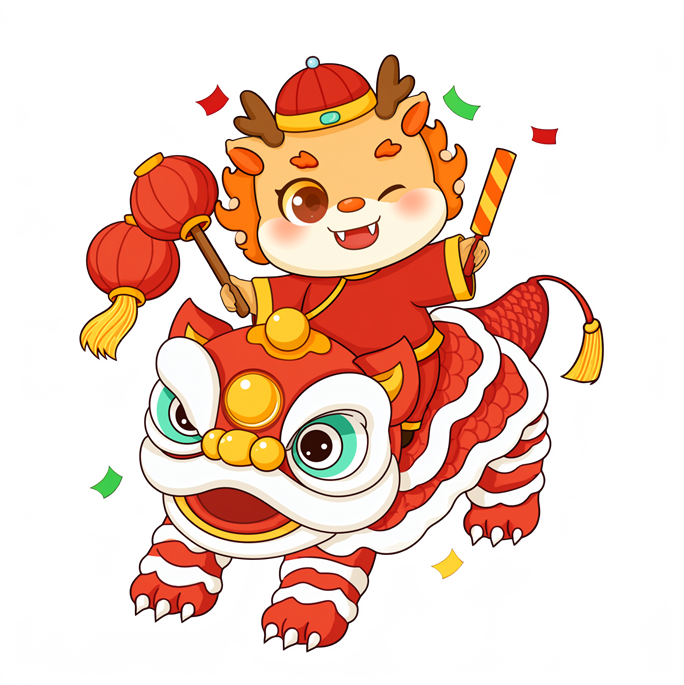
Transparent PNG and RGBA Assets
Generate stickers, icons, isolated objects, and design elements with a native alpha channel instead of removing the background afterward.
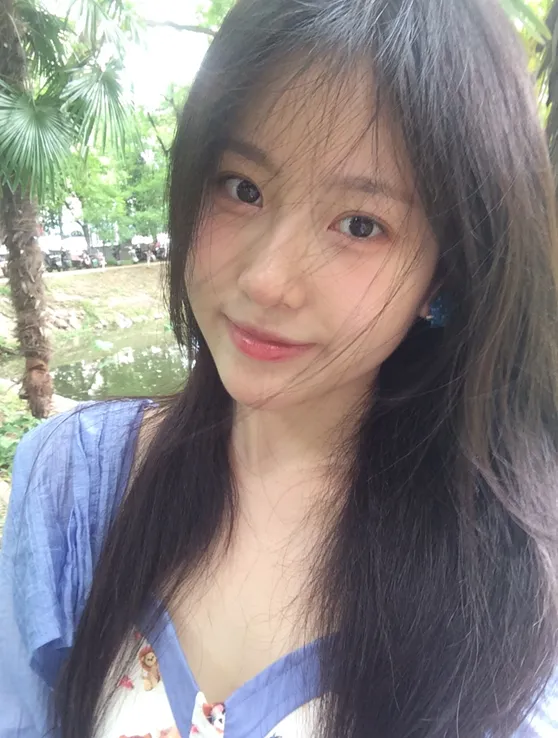
2K Product and Portrait Detail
Keep materials, lighting, faces, and small visual details more coherent across high-resolution product and portrait work.
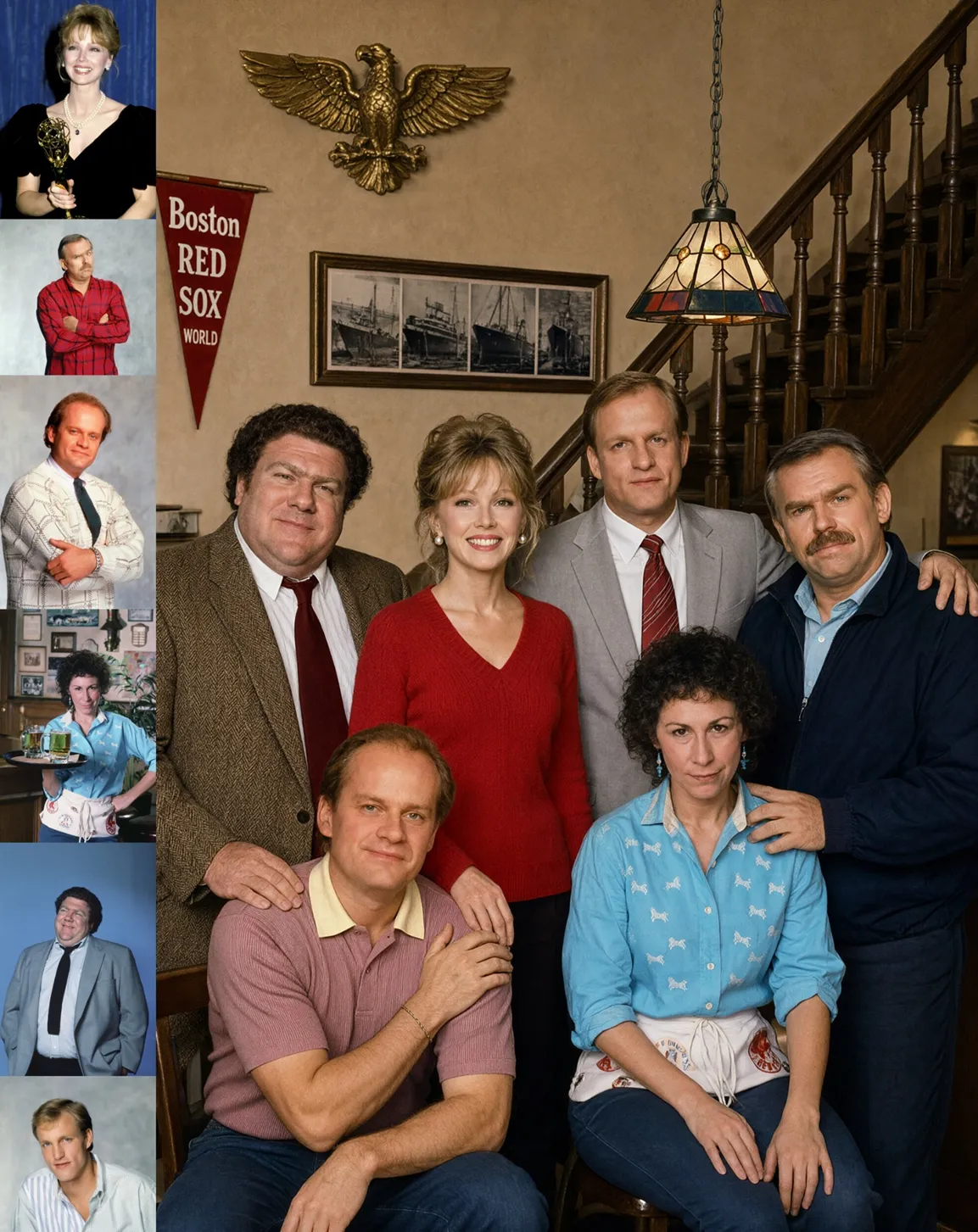
Multi-Reference Composition
The model can combine up to 10 references while preserving the identity of people, products, clothing, and other supplied elements.
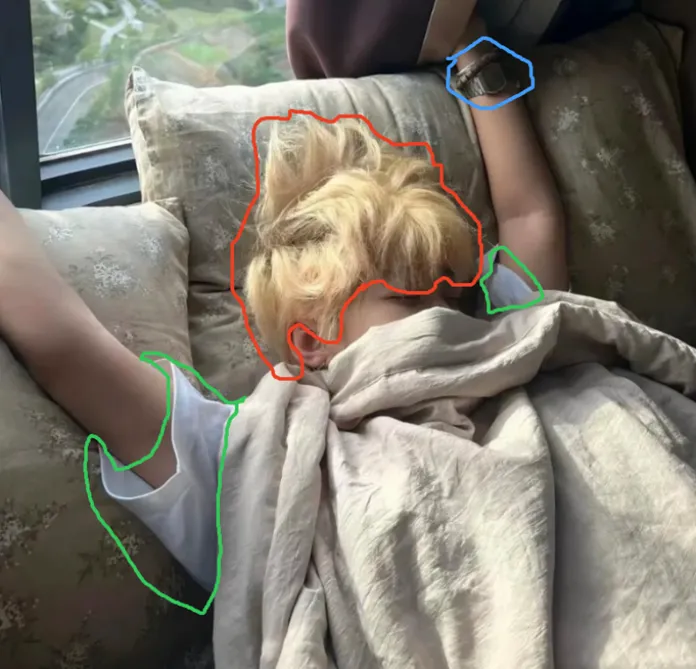
Precise Local Image Editing
Direct changes with circles, painted annotations, or masks while keeping untouched regions and subject identity stable.
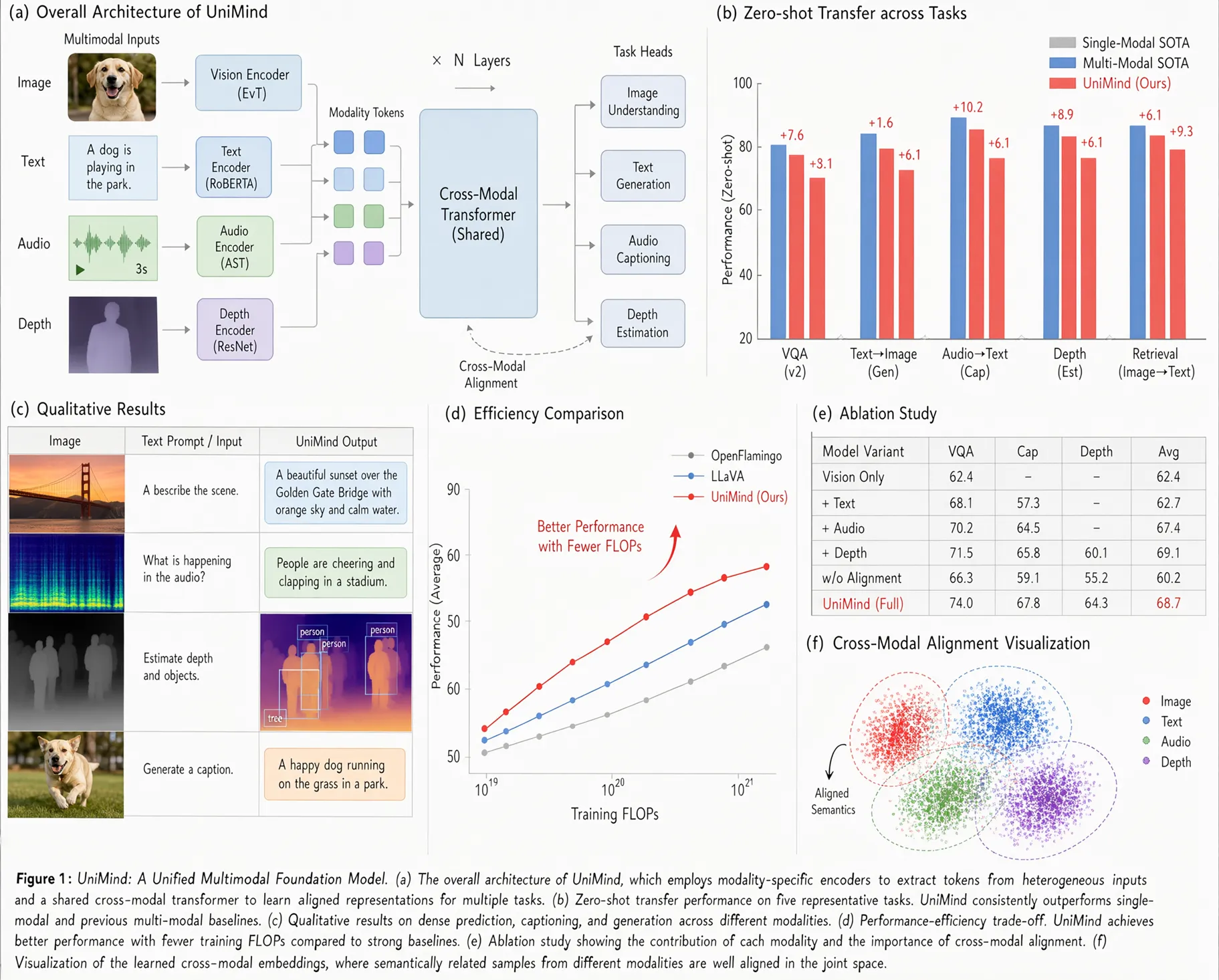
Poster Text and Packaging Design
Create layouts with clearer lettering, stronger visual hierarchy, and more dependable text for posters, signs, and product packaging.
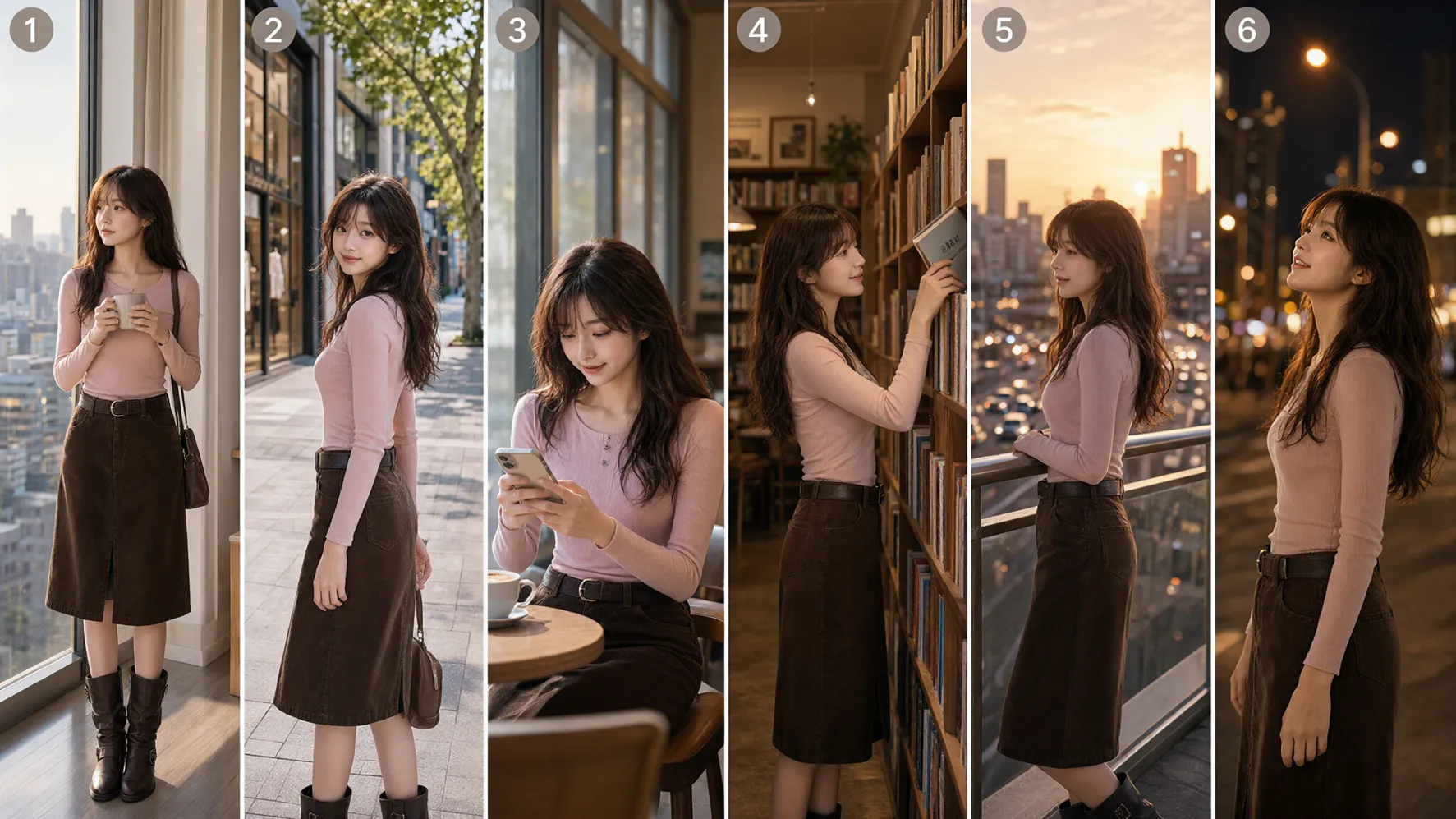
Panoramas and Storyboards
Turn a character or scene reference into wider narratives, sequential frames, and coherent visual storytelling.
Qwen Image 2.1 Features That Change the Workflow
One model covers generation and editing while adding production-ready transparency, resolution, reference control, and typography.
Native RGBA Transparency
Generate regular RGB images or transparent RGBA output directly, edit transparent layers, and extract subjects without a separate background-removal pass.
Native 2K and Multiple Aspect Ratios
Create square, portrait, landscape, and widescreen compositions with native 2K detail for design, commerce, and publishing workflows.
Up to 10 Reference Images
Use the model's multi-reference architecture to compose several people or products while retaining important identity and appearance cues.
Circle, Paint, and Mask-Guided Edits
Identify exactly what should change with circles, painted marks, or separate masks, then preserve the rest of the image.
Stronger Text, Product, and Portrait Fidelity
Produce more legible typography, refined portrait lighting, realistic textures, and consistent product details in both generation and editing.
Production Uses for Qwen Image 2.1
Move from a prompt or one or two reference images to an asset that is easier to place, revise, and publish.
Transparent E-commerce Product Assets
Create isolated product images, catalog cutouts, campaign compositions, and reusable transparent PNG assets for storefronts.
Icons, Stickers, and Game Assets
Generate alpha-ready interface elements, character stickers, props, sprites, and layered creative resources.
Posters, Packaging, and Social Visuals
Combine image creation with clearer text rendering for campaigns, packaging concepts, announcements, and branded content.
Consistent People and Products
Carry recognizable subjects across scenes, outfits, compositions, and edits while retaining key visual identity.
How to Use Qwen Image 2.1 on Z-Image
Start from text, switch to one or two reference images when you need more control, then continue refining the result.
Describe the Image
Write the subject, composition, style, lighting, text, and whether the output needs a transparent RGBA background.
Upload One or Two References to Edit
Open the image-to-image tab and upload one or two references when you want to change a scene, combine subjects, or refine an object, color, outfit, or background.
Generate, Review, and Refine
Choose the output size, generate the result, then make the next edit with a more specific instruction when needed.
Qwen Image 2.1 Prompt Examples
Use these patterns as a starting point, then replace the subject, style, and text with your own requirements.
Transparent PNG
Ask explicitly for RGBA output, an alpha channel, and a transparent background.
This is an RGBA image with transparency. A polished enamel rocket sticker with crisp edges and soft studio highlights. The image has an alpha channel and the background is transparent.2K Product Visual
Specify materials, lighting, camera angle, background, and intended commercial layout.
Create a 2K studio product image of a matte-black smart speaker, three-quarter view, soft rim lighting, realistic fabric texture, subtle reflection, minimal warm-gray set, premium e-commerce art direction.Multi-Reference Composition
Name the role of each reference and describe how they should appear together.
Combine the referenced people into one natural group portrait at a rooftop dinner. Preserve each person's face, hair, and clothing identity; match perspective and warm evening light across the scene.Local Edit
State the selected region, the exact change, and what must remain untouched.
Inside the marked area, replace the blue jacket with a tailored cream trench coat. Keep the face, pose, hands, background, camera angle, and lighting unchanged.Text Poster
Put required text in quotes and define hierarchy, typography, and layout.
Design a vertical coffee festival poster that clearly reads ‘NIGHT BREW’ and ‘SEPTEMBER 28’. Bold condensed headline, clean supporting text, copper and midnight-blue palette, editorial grid, premium print texture.Qwen Image 2.1 Model Information
Qwen Image 2.1 is a unified text-to-image and image-editing model with a 7B visual generation component, a Qwen3-VL text encoder, and a 64-channel RGBA autoencoder built for native transparency.
Visual generator
7B parameters
Native output
2K image generation
Color format
RGB and RGBA
Reference capacity
Up to 10 images
Qwen Image 2.1 supports model workflows with up to 10 reference images. The Z-Image editor on this page currently accepts one or two references per edit, while the 10-image figure remains the model-level capacity.
Supported ecosystem
The official release includes support across Diffusers, ComfyUI, vLLM-Omni, SGLang, LightX2V, and ModelScope. Z-Image presents generation plus one- or two-reference editing through the shared web workflow above.
Qwen Image 2.1 FAQ
Answers about native RGBA output, 2K generation, image editing, references, and text rendering.
Create with Qwen Image 2.1 on Z-Image
Generate native 2K RGBA images or upload one or two references and make a focused edit in the same workspace.